 I have a 15-inch I9 MacBook Pro. It’s big, bulky, and I connect it to an eGPU, Thunderbolt dock with drives attached, all my peripherals, and an ultrawide monitor through that eGPU. It’s a lot to disconnect and bring around, even if I just want to go work on my couch. Plus, while it’s a beefy, powerful laptop, it does get quite warm to keep on a lap. The 15-inch laptop just doesn’t suit me on the go, and I’m glad Apple makes their most powerful laptops in smaller sizes now, because I just don’t need a huge display most of the time. My work laptop is one of their 14-inch MacBook Pro laptops. But I’m not buying a new MacBook Pro anytime soon. Just doesn’t feel like it’s worth a kidney anymore.
On trips, I usually bring my 11-inch iPad Air, but I’d often want to have my laptop to code or do a bit more than using one app at a time. You know, Mac stuff. I wanted something I could take to my partner’s apartment, on a visit to my parents, on vacation, or just leave in the living room to use as a writing or guest computer.
Unfortunately, Macs are just too expensive. My Intel MacBook Pro is still more powerful than many new MacBooks when it comes to anything the GPU could do because Apple refuses to give their laptops eGPU support and even my aging AMD Radeon graphics card is better than most of Apple’s chips. I just couldn’t justify spending $6,200 on a new laptop that wouldn’t do everything I could do with my current one.
But then Apple introduced the MacBook Neo. It may not be as powerful as my old MacBook Pro, but could it be powerful enough to justify the price? Because when I bought it, it was a MacBook for just $599. It’s cheaper than the iPhone it stole a processor from. I had to give it a chance.
In This Article:
Specs
- Processor: A18 Pro
- Memory: 8GB
- Storage: 256/512GB (512GB as tested)
- Touch ID only on the 512GB Model
- Screen
- Size: 13in
- Density: 218ppi (2408 x 1506px)
- Brightness: 500 nits
- Color/Contrast:
- Refresh Rate: 60Hz
- Dimensions
- Width: 11.71in, 293mm
- Height: 8.12in, 206mm
- Thickness: 0.5in, 13mm
- Weight: 2.7lbs, 1.22kg
- Ports
- 1 USB-C port
- 1 USB 2 Port over USB-C
The Hardware: Looks, Construction, Feel
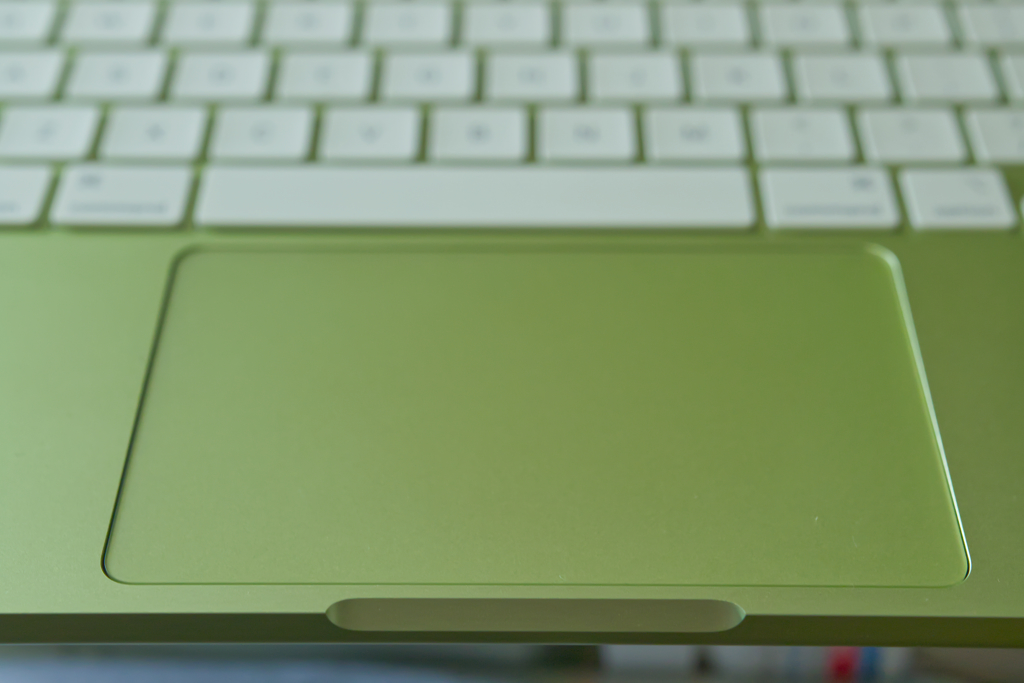
 This does not feel like a budget laptop. It looks great, it feels great to type on, to use, to open and close, and it’s lightweight and slim. The MacBook Neo feels fantastic. This is a nice laptop at a budget price. Sure, it doesn’t have a backlit keyboard, harking back to days of the original MacBook, but for touch typists and people who don’t type in the dark frequently, that’s not such a bad thing. It also has a touchpad that physically moves when you click it. Maybe it’ll get worn out over time, but in the months I’ve used it, it hasn’t shown any wear yet.
The real issues come from the internals of the hardware and the ports on the left side. There are no ports on the right, and those on the left include a headphone jack, a USB 2 port over USB-C, and a single proper USB-C port. But when it comes to holding this laptop, actually touching it, seeing it, and using it? It’s brilliant. Beautiful colors, a satisfying and firm keyboard with keys that have just the right amount of curvature, a trackpad that actually clicks across the entire surface, and did I mention great looks?
Goodness, I’m happy there’s finally a great looking MacBook again. I missed the colors. Are we finally getting out of the prison of millennial gray?
Performance
 Performance in this is an odd thing. On one hand, the processor itself is not bad. It’s snappy enough for opening apps, writing, and doing your average computing tasks. On the other hand, the memory in the machine is so low it often feels like you’re trying to compute with your processors tied behind your back.
The performance feels so strange to talk about. You may feel like everything’s normal as you reading a website or writing an article, and then you go to switch to another app. Sometimes the switch happens quickly. Other times the MacBook Neo will lock up as you remember you have four apps open, and there’s no memory to go around.
I can edit photos for a while, doing one at a time, and making quick edits, especially to smaller jpg files, is easy. But larger raw images do tend to take a bit longer to process. Using object selection features does take more time than I’d like too, as though it’s just too much, computationally, to do it quickly. It reminds me of how I can’t use Glaze or Nightshade to protect images I share because even small images take an infinite amount of time due to the memory limitations. Glaze and Nightshade require a laptop with more than 8GB of memory. This computer can’t even start to run these apps.
Software Development
Opening up an IDE like Android Studio made me instantly realize that I’ll still be doing the bulk of my software development on my 2019 MacBook Pro. The apps often used in software development are huge memory hogs. I often tell people not to get anything less than 20GB of RAM if they’re intending to do mobile development. I can do a little work in it, but for most of my app development, my MacBook Neo is just for doing a quick edit on the road. If my MacBook Pro is in reach, I’m doing any software development on that, not wasting my time chugging through memory constraints on my MacBook Neo.
Gaming
 This isn’t a gaming laptop. I loaded up Stray just to see if this admittedly older game would work, only to have to turn the graphics settings all the way down and it still slowed down to a crawl at some points. Firewatch, with its more simplistic graphics, also stutters at times. But Balatro is smooth. Perhaps too smooth. God, that game is addictive. At least I can play mobile games on a 13-inch display. Though I did notice stuttering if I tried to play Balatro with a video in the background.
Memory Issues
I remember when I first got a MacBook how I couldn’t believe how well it handled memory. Dozens of apps open at once without issue. Swapping between Mail, Safari, Photobooth, calendar, all my apps, all in a flash. When I first got that MacBook, it had just 2Gb of ram and an 80GB hard drive. I’d upgrade it with 4Gb of RAM eventually, and the MacBook Pro I had after it I’d upgrade as well, because you used to be able to do that with Apple hardware. Now Apple just wants you to put more children to work in mines, apparently, because they took away any upgrades we could do to make our hardware last longer.
Even on those old laptops with less memory than the MacBook Neo, I never felt like it got as bogged down as this does. That old MacBook with those old apps did far more with 4GB of RAM than this can do with 8GB. Apps have gotten larger and more complex, and our memory should not be in the single digits anymore on any of our devices. That or our software should be far less bloated. Probably a little bit of both.
8GB of memory is not enough. This laptop feels seriously held back by it. The processor is snappy enough, which is frustrating. Why did they give this so little memory when it would be a bottleneck in everyday use? Glaze or Nightshade can’t even run on a device with this little memory. Having a YouTube video running in the background while you work on other tasks is enough to make the whole thing stutter. Open apps up or work on a task when there’s nothing else open? It’s fine. But as soon as you have anything else to do and it clogs up.
While the computer usually feels powerful enough to do what I need it to do, mainly some writing and light photo editing, it certainly shows how silly Apple was for making a laptop with only 8GB of memory in 2026.
It should have had at least 12GB. Phones have more memory than the MacBook Neo.
Benchmarks Real-World Performance Tests
Benchmarks are interesting. On one hand, they aren’t real-world usage. They can tell you generally about performance, but apps that are better optimized for certain silicon could still feel fast in the right circumstances. Still, I tried to get a “real world” feel alongside benchmarks from Cinebench.
In Cinebench, the MacBook Neo beat out my 2019 I9 MacBook Pro by about 2x in a single thread benchmark. This doesn’t measure much of your everyday tasks, as those usually do a lot at once, but it can show why the MacBook Neo still feels “snappy” when opening an app or in performance in the app during use. However, the 7-year-old Intel Mac crushed the MacBook Neo in multithreading tests. With its 64GB of RAM, eGPU, and multithreading processor, my MacBook Pro rarely feels sluggish. While my MacBook Neo can get bogged down if I’m writing with too many tabs open in a background browser.
I could measure the opening and closing of a bunch of apps and videos. But the end result will just confirm what you feel with one of these. It can be snappy, but the moment you use more than a few GB of memory, it becomes more sluggish than a 10-year-old laptop.
Battery Life
 In my experience, using the MacBook Neo for writing, internet browsing, that sort of thing, battery life is great. While the larger MacBook laptops may have larger batteries, the MacBook Neo still has a respectable 10 hours of average usage. I’ve never gotten that from my Intel-based MacBook Pro. Apple says the MacBook Neo has “up to 16 hours,” and the MacBook Pro has “up to 24 hours.” Both are incredible. However, the battery life of the Neo can last an entire work day or an entire day in class. It may not be obscenely great, but it’s the best battery life in a laptop I’ve used, and it’s certainly good enough for working over an entire day. Not that you’ll have to. A simple USB-C port is enough to charge the laptop, after all.
Sound
Apple took the headphone jacks away from their devices, and everyone wants to buy old iPods now. Fortunately, they didn’t take it away from the MacBook Neo. It sits on the left side of the MacBook Neo, alongside one of its speakers.
As for the speakers themselves, you’re likely not using them much. Perhaps in passing, playing music or watching a movie, but I can’t imagine seriously trying to listen to music with these. The speakers certainly aren’t good enough to really listen to your music, just something you might do as you’re getting ready to go out. But they did surprise me. They don’t feel like they’re firing out the sides. You may be able to use them to watch a video or even a whole movie. Apple did a good job here of making side-firing speakers feel like they were pointed at you.
Other Gripes
This is an old iPhone in a cute MacBook’s body. That’s going to lead to some odd issues. Here are a few other gripes I’ve had with this MacBook Neo that I wouldn’t typically see in a laptop review.
These Ports Suck
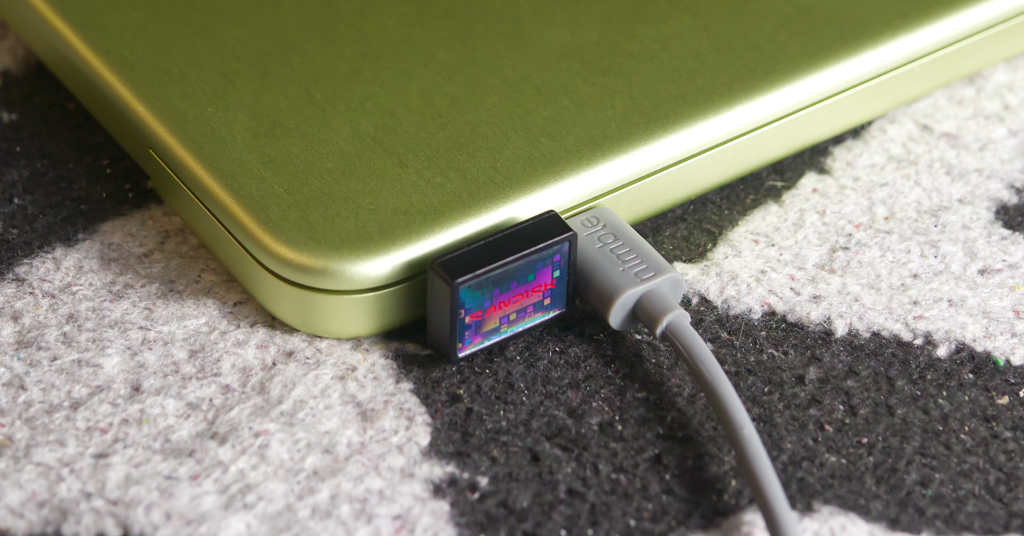 I would be absolutely fine with one Thunderbolt 5 port here. Just one. Then I could use a Thunderbolt dock like the one on my desk for display, all my accessories, and nearly limitless expansion. Instead, there are two USB-C ports, but one only pretends to be USB-C, because it’s really an ancient USB 2 over a USB-C port. These ports are disappointing, but what did I expect? The MacBook Neo is an iPhone in disguise. It’s not like the iPhone has more than a single port. Apple famously only had a USB 2 port in a number of their iPhones, while the rest of the industry left them behind, including every one equipped with their Lightning port. Getting video off an iPhone is a pain. The MacBook Neo likely just doesn’t have the bandwidth for two true USB-C ports.
Just because we can see why a limitation exists doesn’t mean it’s not a pain in the ass. My MacBook Pro has three Thunderbolt 3 cables plugged into it right now. One is for my Thunderbolt dock from OWC. One is a SSD drive I put together, using an enclosure from, again, OWC. The third is going to my Razr eGPU enclosure, where an admittedly aging AMD Radeon RX 5700 XT sits. Apple wants their buyers to buy new devices and toss out their old ones (child miners be damned), so they dropped eGPU support that made their Macs last longer. Look at my 2019 MacBook Pro, still relevant with even an old GPU 7 years after it was launched, thanks to the ports and support Apple’s Intel Macs had. When trying to transfer the files I use for this blog over, I quickly realized I couldn’t use my Thunderbolt drive on my MacBook Pro. I had to use a USB-C drive instead. A little slower, and less convenient than using the same drive for both devices, but manageable. Going from the score of ports I have on my MacBook Pro down to the few I could manage to extend from that one USB-C port was difficult. Plus you always have to remember which is the port you can actually use and which one should just do charging.
Also, why does Apple smush these ports so close together so you can’t even fit two accessories in the ports?!
Finally, there’s the SD-card slot… there isn’t one. Every computer should have one. Everyone has cameras, they take photos, they move things between devices. Just give us the SD card slot!
Storage Space
I have to remind myself that photos for this blog, photos from shows I go to and edit, videos, and even my software projects, should probably sit on an external drive. The MacBook Neo’s limited 512GB of drive space is what I considered passable on a laptop a decade ago. Despite the limitations I’ve tried to set up for myself, I’m using nearly half the storage space in just a few months. And, thanks to the diminutive memory capacity on the MacBook Neo, you’ll want to keep probably about 20Gb of disk space free for virtual memory or your Mac will grind to a halt.
Of course, if you’re using storage drives, you’ll be limited to only one fast one, and not at Thunderbolt speeds, but at USB-C speeds only.
Overall: 8/10 Who’s This For? Perhaps You!
 With every consideration made, one thing stands out. This is a MacBook for half the price you’d expect to pay for one. Sure, the thing is mostly for single tasks at a time, but that’s perfect for writing, taking notes, or learning to use professional software. Because this entry point into the Mac ecosystem is so accessible, it’ll likely be many people’s first Mac. It’s going to be great for students or, people like myself, who just wanted a more portable and less expensive Mac to take on the road, share with a partner, leave in a guest room, or use for recipes on a countertop. It brings the power of macOS to an inexpensive package, and that cannot be understated. It’s a cool and useful Mac.
The performance is seriously hindered by the lack of memory. I have been disappointed to find it lagging as much as it does sometimes. I do a lot of things, I hit the memory constraints often. However, as it’s not my primary Mac, and hopefully never would be, it’s a great tool to have in my living room. I’ve written countless articles from the comfort of my couch, read the news from it, and even play the occasional addictive card game.
The MacBook Neo might be Apple’s most important Mac in a long time. It’s performant enough for light tasks, which is all most people typically need, and it’s inexpensive enough to get it as a student or as a laptop for travel. It’ll fail you if you’re looking for high levels of performance for gaming, graphics, video editing, large file photo editing, or software development, but if you just need something for simple tasks, it’s great.
The MacBook Neo has flaws, but for being a Mac under $1,000, what do you expect? It’s great for what it is, and I feel like I can recommend it to most people looking for a light duty Mac.