
Watch face: “Aura Essential”
I’m one of the oldest Pebble users. Not, by age (at least I hope not), but I’ve been around since before the first Kickstarter project was fully funded. When I was more obsessed with tech and being always-connected, the Pebble seemed like the ultimate gadget. However, when Pebble announced they were finally coming back after their acquisition from Fitbit and Google, I wondered if the world had changed too much for the Pebble. I wondered if I had changed too much to use a smartwatch again. I preordered one anyway. It came months ago and I wore it for a few weeks, but I can’t see using it more often than my normal analog watches. Still, it’s the only smartwatch I’d wear in place of a real watch, even if I don’t think I’ll be doing so often.
It’s not just because I’m more of an analog watch girlie. It’s because that, while I love the Pebble, this ecosystem, and the community around this watch, I can’t bring myself to use a device that has no security, even if it doesn’t have the same privacy violating features of Apple and Google’s watches. But more on that in a bit.
In This Article:
New Specs, Same Vibes
- 1.54-inch (39.12mm) 64 color e-paper touchscreen display with RGB LED backlight, 202 DPI (200×228)
- Stainless steel body, plastic inserts
- Heart rate monitor (no ECG or other heart tracking features)
- Days of battery life (As little as 3 days, up to 30)
- Digital compass
- Water resistant to 30M (3ATM), good for light splashes only, like rain or doing the dishes, not swimming or showering
- 2 microphones, 1 speaker
- 22mm wrist strap
- Dimensions: 43mm tall, 36mm wide
Customization: The Techie’s Smartwatch
Pebble has been around for over a decade, and has had an active developer community the entire time. Even after Fitbit bought Pebble and shut it down, and Google bought Fitbit, Pebble developers have kept the platform alive. People create apps, games, and watch faces for the Pebble. Thanks to that, Pebble says there are 10,000 options available in their app store. You’ll never get bored with a Pebble.
In Pebble’s store, it can be a little difficult to find exactly what you’re looking for. The store could use more organization. You can search for keywords, but you’ll just have to scroll through images of the watch faces until one pops out at you. There are filters for your device, including the Pebble Time 2, so you can still find something you’ll like, it just may involve more searching and less curation. It’s still better than ever, but has some ways to go. You’ll have plenty of time to tinker and explore to find your favorite watch faces.
I have found that, while there are plenty of watch faces, most don’t have a seconds indicator. This is because updating the screen once a second is a huge battery drain. Each watch face may dramatically change your battery life. Some with seconds hands could still last the bulk of a week, while others may drain in two days. If you’re going to use a face with a second hand, there aren’t as many options and it’ll drain your battery life much faster. Your Pebble Time 2 will still last longer than most other smartwatches though, especially if you don’t use a watch face with seconds features every day.
The bootloader is open on Pebble devices. It’s open source, so you can get the firmware, make changes, and upload it to your watch. You can even make changes and submit a pull request into the main project. Community fixes and improvements could end up in the final product. This is a fantastic feature for those looking to make their watch exactly what they want. However, unlike Android or other open platforms, there are no ways to lock this down currently, so anyone with access to your watch can do this as well. Keep that in mind if you have one.
Comfort: It’s a Smartwatch, for Sure
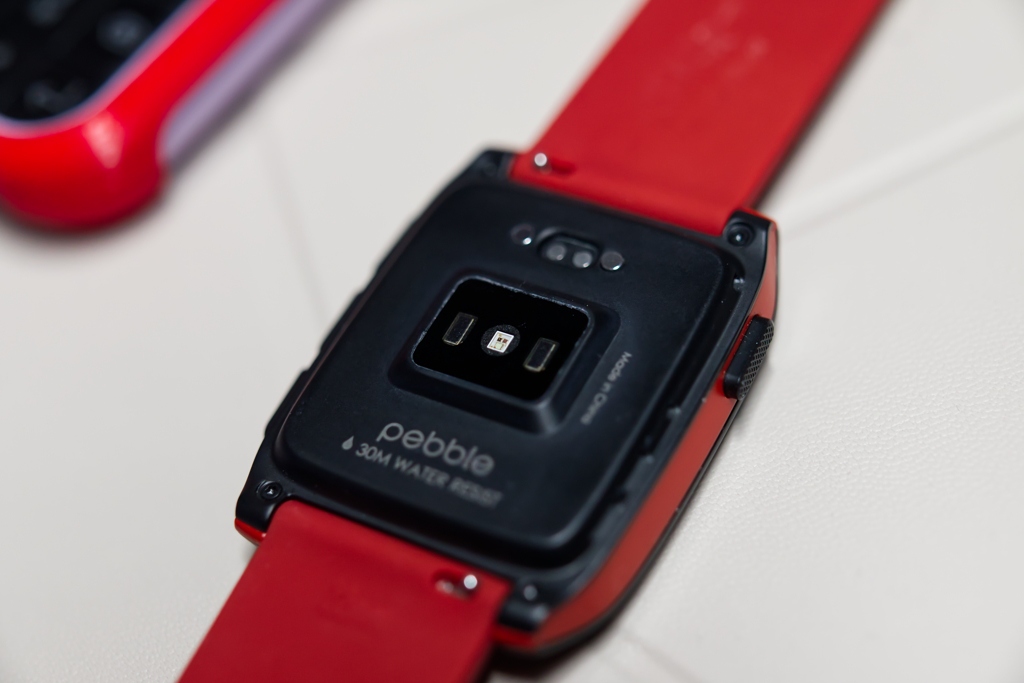 Most watches have a flat back. This is because your wrist doesn’t like having things pushing in on it. Smart watches all made the same decision, to put a protrusion on the back of the watch that presses into your wrist. This is because optical sensors for blood flow or blood oxygen work best not on the wrist, but on the fingertips, where light can be shone through your finger, not reflected, like it is off your wrist. Here they have to press the sensor into your wrist a bit to get a better reading. Unfortunately, it means it’s less comfortable than a normal watch.
It’s also larger than most watches. It’s got a flat shape that doesn’t hug your wrist, it’s tall, so it may feel too large on small wrists, and it’s a bit heavy and bulky. Certainly more than most watches, but perhaps no heavier or larger than a dive watch.
It’s not that bad though. I can wear this for days on end without much discomfort. But I will admit, when I reach for a more lightweight watch, I feel a lot better, and I prefer not to wear it to sleep.
The band it comes with deserves some attention though. I hate these style of bands. They push the bottom part of the strap under the top part, which means that overlap between them is pressed against your skin, instead of over it. Apple did it for their sport watches, but they made the bands thick and curved enough that it doesn’t pinch. Every single third party band I’ve tested doesn’t do this. They go with cheaper, thinner silicone or rubber and it pinches. I had to ditch the stock Pebble Time 2 strap immediately. It looks nice. It’s a nice color and the black buckle matches the hardware well. But this watch band is incredibly uncomfortable. It comes with two sizes out of the box that will fit most wrists. I was able to use the smaller size, but quickly swapped it out for a silicone one from Archer. Plenty of manufacturers make 22mm watch straps, but I decided to go with Archer for their fast shipping and I’ve used them before, and they’re quality bands. It vastly improved the comfort of this watch.
Hardware and Design
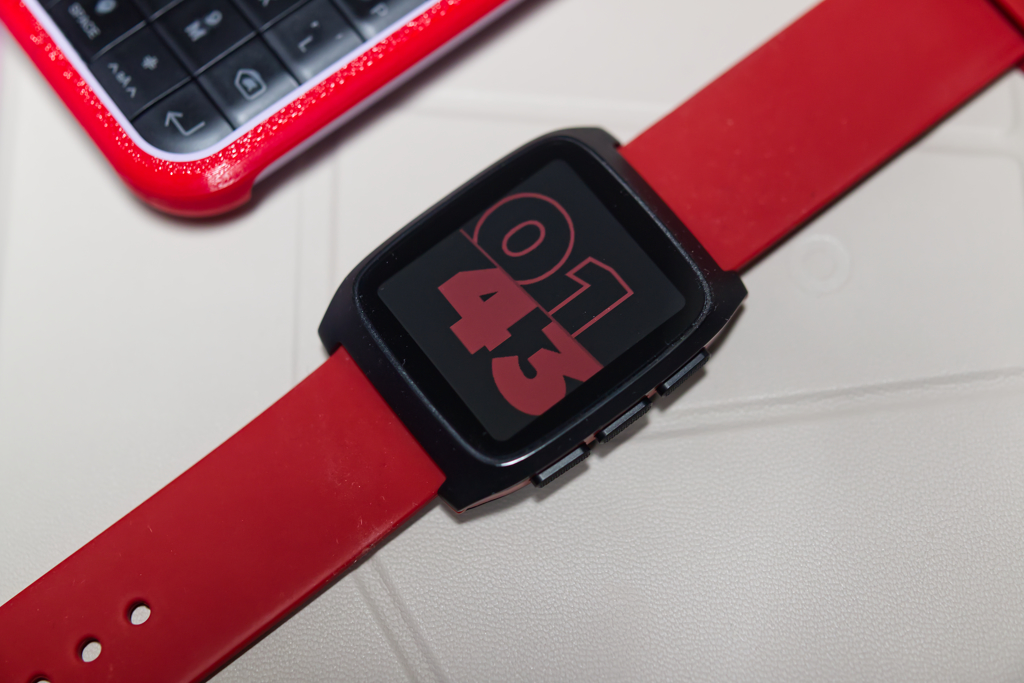
Watch face: “Cut/Up”
I prefer the design of any Pebble over most other smartwatches, especially the Apple Watch. I might concede that Samsung’s watches, which take inspiration from more traditional watch designs, look fantastic, but the Pebble has always had some fun charm. They’re like the Swatch of smartwatches. However, a good portion of that charm is missing from their current lineup. Gone are the colorful versions they used to sell. I’d love to see a whole rainbow of colors in plastic cases, like the original Pebble, but with modern internals. Bigger screens, the same color. Alas, every electronics maker is going for the same “refined” metal look. Boring millennial gray designs have permeated every aspect of our lives. At least there’s still some charm left here, it’s not all bland tones. Along the sides of the Pebble Time 2 you can select a color from one of four options. A black steel case with a gray inert, a silver steel with a dark gray insert, a black steel with red insert (mine!), or a silver steel with light blue insert. It’s not much, but it’s something.
The Pebble Time 2 hardware itself doesn’t do enough to stand out on a wrist in a sea of smartwatches, but it still has some of that old charm. Not as much as they used to, but the Pebble Time 2 retains a sliver of their old fun designs.
I feel joy with my other watches. I like seeing the physical designs playing with the light. The sunburst dials, the different textures, shadows from the hands, the mechanical and quartz ones alike. I like the way light plays with a real watch. Real watches all feel unique, and I get more joy out of seeing them than I do any software-based face. Even cool watch faces, of which there are plenty, just don’t give off the same joy as a real watch. However, the Pebble Time 2 watch faces certainly bring more of that whimsy to the package than most smartwatches. The Pebble Time 2 can feel fun.
The design of the Pebble Time 2 is very nice. It’s clean, polished, and looks great. It just doesn’t catch an eye like the older models could. The fun part here is swapping out watch faces. Some days I like simplistic, others I like complicated. Sometimes data-heavy, other times just pretty. While the screen may not have the same charm of a real watch, you do get a lot of options, even within each watch face. If you want a smartwatch that just isn’t like the other smartwatches, that actually feels like it is unique and features faces and designs made by real and interesting people with a variety of tastes, you can’t beat the Pebble with anything else. I love these options, I just wish the hardware itself had a bit more charm and the face was a bit more visible in indoor light without the standard “Pebble flick” wrist movement.
Repairability
Most electronic devices wouldn’t even get a section for this. But the Pebble isn’t most devices. Not only is the operating system open-sourced and lets you make your own changes and run your own builds, but the back of the Pebble Time 2 also has… screws! Most of the parts in the Pebble are “off the shelf,” so you can find them elsewhere if you know where to look for parts. You could even order 3D printed parts. There’s at least one guide on iFixit) to take apart the Pebble to fix the buttons. You can also find old batteries for their previous watches, and iFixit may carry them in the future as well.
Pebble doesn’t currently sell any parts on their website. However, you could reach out to support to get their word on it. In the past, when I had a screen issue with my original Pebble, they replaced the entire Pebble. I wasn’t happy about that, as I had a Kickstarter edition with special printing on the back that recognized it was one of the first Pebbles made. However, the replacement was the same kind anyone could buy in an electronics store. Getting a replacement is nice, but being able to fix it myself would have been better.
It’s possible you could repair parts of the Pebble Time 2, but in the past, a long time ago, they just replaced the whole watch when my screen went bad. I don’t know what they’d do today, but it’s certainly easier to work on than most other smartwatches.
Screen
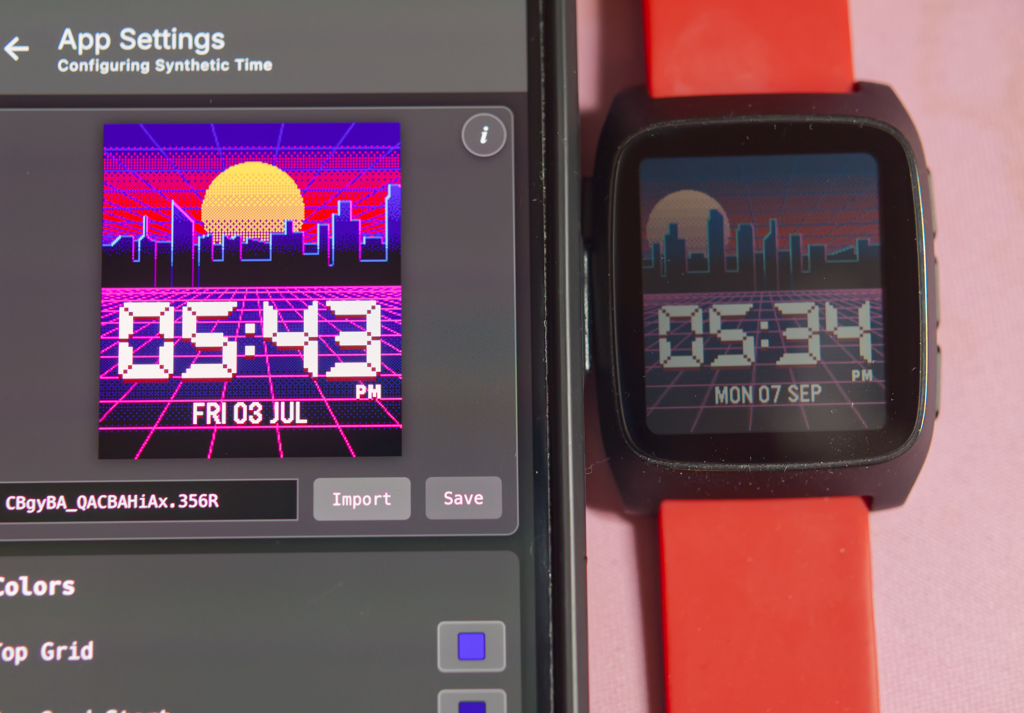
Watch face: “Synthetic Time”
Most smartwatches are powered by an OLED or AMOLED display. These are bright, with sharp contrast. The Pebble Time 2 uses e-paper. It is not bright, colorful, or high contrast. Instead, it has 64 colors, is lit up by reflected light from your surroundings or an LED panel behind it, and has low contrast. Why would they use it? Because it doesn’t use energy between screen refreshes, and therefore saves a lot of battery life. It’s why the Pebble is roughly the same size as any other smartwatch, but lasts far longer.
The screen isn’t bad, but I have noted some disappointment, especially when customizing the colors of a watch face. I could make something that looks brilliant on my iPhone, but noticed that it’s desaturated and low contrast on my watch. If you’re doing this, you just have to plan for it, and choose colors that have enough contrast against each other.
Would I prefer to have a higher resolution, brighter, more colorful, and higher contrast screen? Sure. But not at the cost of needing to charge it every day. The Pebble’s for the kind of person who forgets the charger at home before a trip. Most of the time you won’t need it anyway. Even my most battery-draining watch faces, which update the whole screen with a parallax animation every second, still won’t use as much power as the most simplistic watchface on my Apple Watch.
I’d love to see Pebble improve this. Maybe a less reflective glass display, or the display closer to the surface. Perhaps some new screen technology that improves color contrast. That would take years of advancements, and the Pebble Time 2 we have now is certainly better than its predecessors. That the e-paper screen looks this good is impressive all on its own. Will an Apple Watch screen look better than a Pebble Time 2 screen? Sure, for the first 20 hours. After that, the Pebble wins, hands down.
The original Pebble, and all since it, have not been touchscreen devices. They used the buttons for a far more tactile experience. However, the new Pebble Time 2 comes with a touch screen. It wasn’t enabled for the operating system from the factory, but that was just for the devices that were part of pre-orders. If you buy one today, it’ll come with a working touch screen by default. You can choose to navigate with the buttons or the touch screen. It’s a nice touch, and some apps work better with touch controls, but I still love the tactile buttons of the original Pebble interface. Call me old fashioned, call me nostalgic, but a tactile experience in a world full of smooth glass touch screens is a breath of fresh air.
The Ecosystem
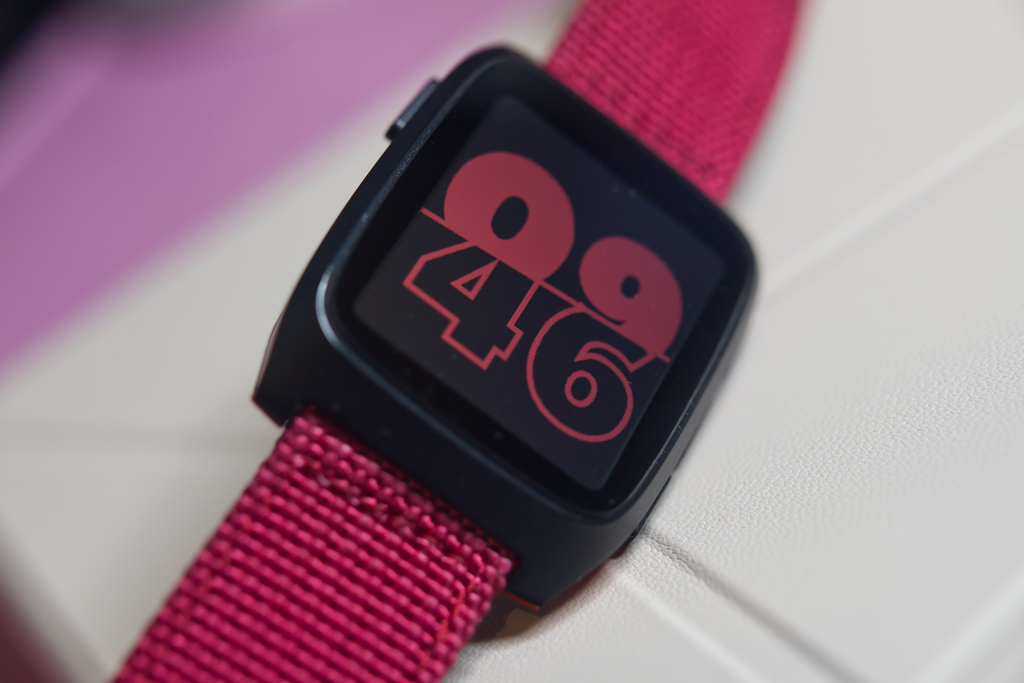
Watch face: “Cut/Up”
A lot has to be said of the ecosystem on the Pebble. Unlike other smartwatches, there are plenty of weird and unique watch face designs. There are fun apps, games, and most are free. You can pick bold faces that look great on your screen, or information-packed displays. You can wear your favorite fandom on your wrist or go for a clean look. There are even watch faces that emulate real watches.
I love the Pebble community, always have. There’s something for everyone in these creations. I’ve had conversations with developers, helped them test new builds, and even made suggestions that ended up in final products. It’s a collaborative community of people just looking to make fun things. I love that about it. Even if you’re not interested in joining a community, you can find a variety of watch faces, apps, and games made by people who just do it for the love of the game.
Health Tracking
I’ll be the first to admit, I don’t really track my health. Oh, sometimes when I get in the mood to lose a bunch of weight or get really lean I might track my workouts, but it’s not a daily thing. Though, when I do, I’ll be using my Apple Watch. I don’t like the Apple Watch very much, but when it comes to tracking fitness, it can do VO2Max, heart rate, and blood oxygen level. The Pebble Time 2 just has heart rate. You can track when your heart rate is in fat burn territory, but outside of that, you’re not going to get the same details you could get with any other smartwatch.
You don’t buy the Pebble Time if you want to focus on fitness. There are better watches for that. But with just a heart rate sensor, there’s enough to track some key aspects of your health.
Even the earliest Pebble had step tracking. The new one is much better. Step tracking is built in, and even starts tracking a workout when the watch detects you’ve been walking for a few minutes. I have found it considered me having a “workout” when I was simply walking to the train, so it’s not super accurate, but it won’t get in your way. However, it made me notice another issue. My Pebble would state that my workout was continuing, even though I had come to a stop. I’m not sure when it reports when your workout stops, if it’s only when your heart returns to a resting rate, or, as I suspect, a few minutes after that, as I had already returned to a normal heart rate when I noticed my workout timer was still going.
While the Pebble Time 2 may not be the best for health tracking, it could be just the little nudge you need to try to get more steps in for better cardiovascular health. Sometimes a small nudge in the right direction is more important than tracking your VO2Max. After all, what’s better for your health, knowing your stats, or getting out of the office chair?
Then there’s sleep tracking. Rest is just as important as working out! Besides, I find that after a night of poor sleep, I can’t focus on any of my work the next day until I feel more awake sometime around 4pm. However, I’m not someone who likes to sleep with something on my wrist, especially something bulky pressing into my wrist. As a result, I didn’t test this outside of a single nap.
It did detect the “nap” I tried to take with it on, mostly just laying still for 15 minutes trying to sleep. However, it also detected a 45 minute “nap” one night when I slept for at least five hours. Why? Because it was on my desk and apparently my desk’s heartbeat looks eerily similar to a human heartbeat.
I am worried it’s not sleeping enough though. Desks need their rest too!
And that comes to a larger issue I’ve noticed with the heart rate sensor. It doesn’t seem to be incredibly accurate. I’ve taken it off and held it in the air, green LED flashing, and it reported a consistent heart rate. It even changed what it was reporting, as though there was heart rate variance in the air. Turns out the Pebble Time 2 can find a heart in just about anything.
Alongside the sleep tracking, there’s also a smart alarm. I’ve been using one of these on my iPhone for years. It tracks when you’re in your lightest stage of sleep and wakes you up then. For a phone, this is just done by tracking the movements you make in your sleep with a microphone. But a smartwatch can also track your heart rate, which speeds up as you reach lighter stages of sleep.
I really like the idea of using a wearable for sleep tracking and smart alarms, I just don’t think the big and bulky Pebble Time 2 is the right device for it. Maybe I could do a ring, but a watch? No thanks.
Swimming?
No. You cannot swim with the Pebble Time 2. It does have water resistance, but not enough to go swimming. It’s enough for quick submersion in shallow water or a splash of water. Moving your watch through water creates more pressure than the seals of the watch can protect against. Don’t wear it in a shower or a hot tub either. It has enough water resistance to protect you from the occasional small splash, but nothing else. It would be best to avoid water if you can, but a splash won’t kill it.
Battery Life
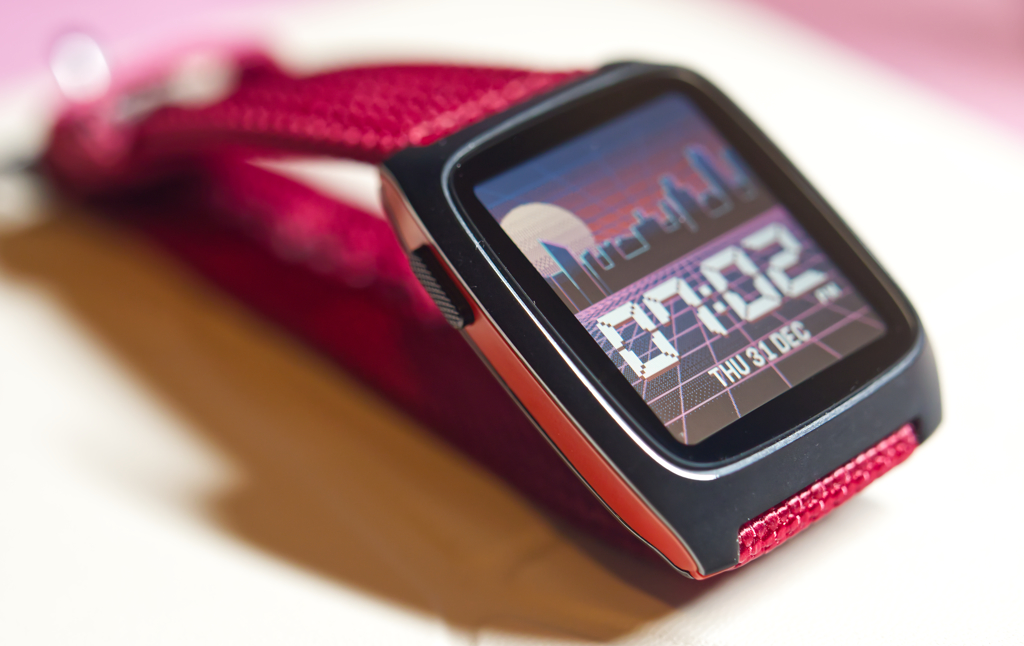
Watch face: “Synthetic Time”
When you get an Apple Watch, you get used to hitting up the charger every day. Sure, the new ones say they can last longer than a day, but in practice, they rarely do. Pebble isn’t pushing close to those boundaries. In fact, they say you can get up to 30 days from the battery. However, that depends on your bluetooth connection, health tracking, watch face, and app usage. In my experience, however, you can easily get anywhere from 2 days to 20, depending on how you’re using it. With a power-sipping face that only updates once a minute, I could easily have gotten it to last over three weeks.
Charging is quick, and is done through a USB-C to proprietary pin dongle. It attaches magnetically, taking a standard USB-C cable and turning it into a Pebble charger. When you’re on the go, you just bring your dongle and you can charge your phone and Pebble from the same cable. It could get lost more easily, sure, but you can loop the little lasso on it around a cable to hold it together. I like the solution, better than a proprietary cable I’d have to carry around.
Privacy: Minimal, at Best
You’re not paying close attention if you’re not becoming increasingly concerned about your privacy. As more countries fall to fascism to prop up unpopular measures, AI data centers, and corporate profit over fiscal well-being, we have to work harder than ever to protect our privacy. In the UK you can get a terrorism charge for holding a sign. Germany just elected a far-right politician for the first time since Hitler’s time. Americans live with a government that considers peaceful protest terrorism worthy of decades in prison and will use your messages and chats to accuse you of “heinous” crimes, like moving zines, playing Pokémon, or being against fascism.
It’s never been more important to lock down your entire digital life.
The Pebble, unlike just about every other smartwatch, has no ability to lock the watch, and defaults to collecting all your notifications on your wrist and in the notifications section. The Pebble will send you notifications for newly installed apps by default, even if you’ve muted all notifications. The Android app no longer has this problem, but the iOS one still does. Any time notifications can be read without unlocking your phone, the device that’s showing you those notifications must be secure. Otherwise, it’s a backdoor into your notifications. An Apple Watch can use a pin code to protect users. A car that shows your notifications requires your key. The Pebble has nothing to protect your data, but stores it anyway, even if you ask it not to.
Without a lock, anyone from a snooping partner, nosy friend, or fascist government could just pick up our watch and see all your notifications. People are looking at spending their lives behind bars for just that. Those notifications could contain information about a woman’s cycle that leads to her arrest for receiving healthcare. It could be a friend attending a protest that gets you implicated as an “accomplice,” now doing decades behind bars. It’s sensitive data, and while you can mute notifications, completely blocking the Pebble app from sending them to your watch seems to be impossible on iOS, and only allows defaulting to “mute” them on Android. There’s no way to revoke the permission entirely.
The Pebble takes your notifications from a secure place, your smartphone, to an insecure place, your Pebble. That’s a backdoor waiting to be abused.
Can Pebble Fix This?
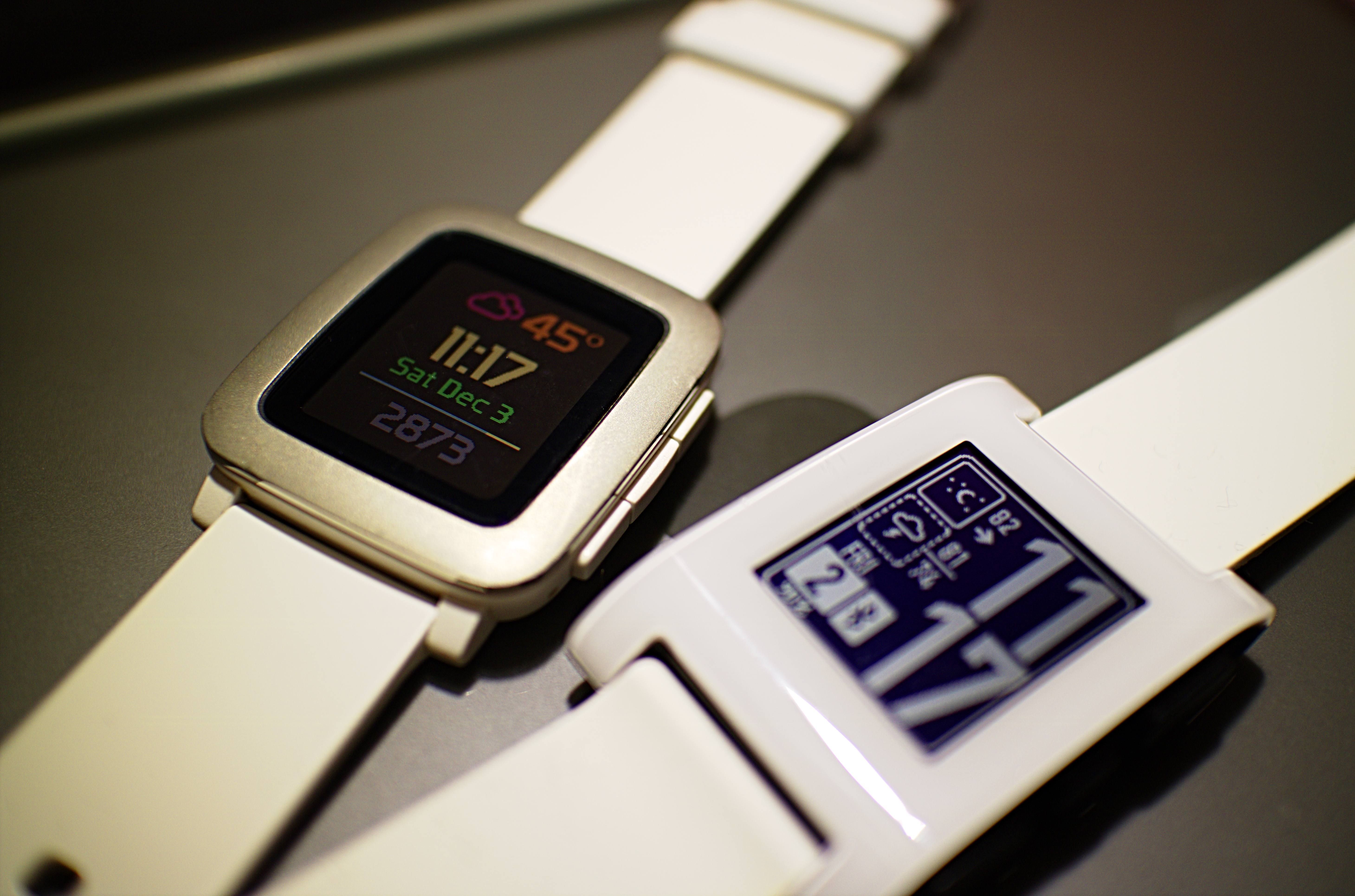
My first two smartwatches. I’ve been a Pebble fan for a long time
Let’s say Pebble adds a screen lock. If it’s not part of encrypting and decrypting the drive, it may keep nosy people out, but anyone with a small amount of technical skill could bypass it. The watch doesn’t have encryption and anyone can install a new build of the PebbleOS that doesn’t include a screen lock. Pebble must add full drive encryption to the device to properly secure it. They should also block reflashing the firmware without a pin, as different firmware could remove password attempt limits that prevent brute-forcing the pin or an attacker could slip in firmware that could capture the pin and wait for the user to enter it unsuspectingly. They could even make the watch wipe all stored data if the user manually re-flashes it. These could all be options people choose, not forced on the users who want to keep the device wide open specifically for playing around with it.
Android phones offer a decent example here. Many have an unlockable bootloader so you can install your own Android ROMs, but all of them have the ability to re-lock that bootloader, and nearly all of them also support full drive encryption now. You can have a hacker-friendly and secure device, you just have to give the user the option to have either or both.
Pebble just didn’t design this device for privacy, and we should probably give them some slack. In 2026, in the age of fascism, safety requires privacy. But in 2013, when Pebble first came out, smartwatches weren’t a part of all of our lives yet and our government wasn’t arresting people for getting healthcare, putting people away for decades for protesting, or sending white supremacists into our streets to harass everyone who isn’t white. The Pebble was a fun little device for people to play around with a new product category they practically invented. Pebble would eventually lose the ability to develop PebbleOS or make new Pebble Watches. They only recently got the ability to develop PebbleOS back, and they’re a small team. Asking them to modernize an operating system that’s been sitting on the shelf for a decade is a huge ask. They also have to balance security and their hacker ethos. It’s a complicated project, but an important one. The Pebble will probably get there, but it isn’t there yet, and that means it isn’t ready for wider adoption yet. If you’re patient, you can support them now, just be sure to mute your notifications and clear them often, if any come through. Hopefully one day Pebble can prioritize privacy, before everything gets worse.
No Security, But it Doesn’t Spy on You
Apple’s latest Apple Watch will let you play back the last 15 seconds of dialog it overhears, verbatim. It’s listening all the time. At the end of your day, it can summarize every single conversation you had throughout the day. Private details, people’s plans, all of it, recorded and documented forever. Those ephemeral comments, fun drunken confessions, a joke, a show, whatever it was, all turned into a summary by AI, another AI feature no one asked for. And, sure, Apple’s spyware has some privacy protections, but it’s still being processed. It’s still being written down. Everyone you talk to while wearing a new Apple Watch will have been recorded without their consent.
It’s disgusting.
The Pebble smartwatch doesn’t do anything like that. So while you can’t lock down your notifications, at least it isn’t making an ongoing log of everything you talk about forever.
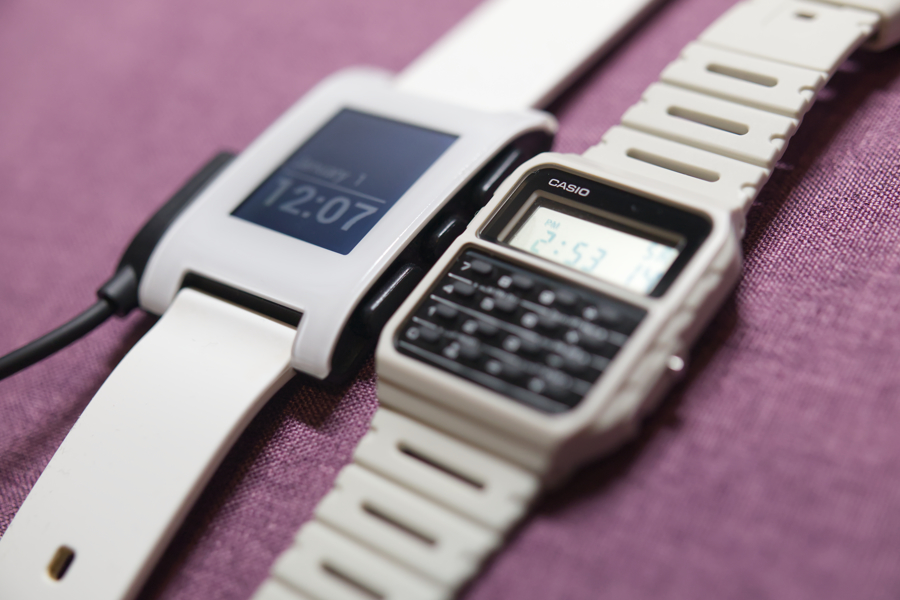
The Pebble has always felt somewhere between a smartwatch and a normal one
In fact, if you really do want reminders about what happened throughout your day and don’t want to just carry a journal or write in a journaling app, Pebble has a much better accessory for tracking your day. A smart… ish ring. Press a button and make a voice memo. It’s that easy. No AI outside of local voice to text models, no spying, no recording when it’s off, no uploading it to external sources, and a battery that last years with a recycling program to swap it out. No spying on everyone around you, you have to push a button and talk into it, and it’s perfect for quick voice memos for little ideas you have throughout the day.
Pebble found a more privacy-focused way to solve the same problem Apple tried to throw a ton of surveillance and AI at.
It’s a good thing Pebble is around, otherwise all the smartwatch makers would be jamming this non-consensual recording and AI slop into their wearables. It might not have a pin code lock yet, but at least it isn’t spying on everything you do like every other smartwatch. Hopefully they’ll fix their other privacy problems soon enough. By design, it’s far more consumer-friendly than the AI-obsessed and data stealing companies we’re otherwise stuck with.
Overall
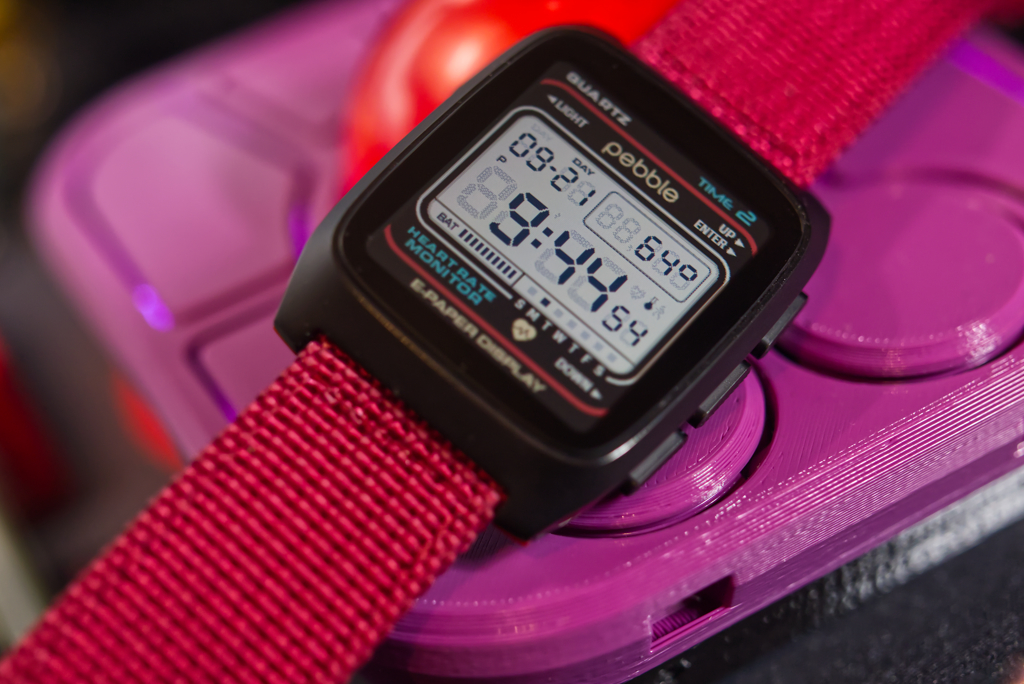
Watch face: “Quartz by Dalpek”
The Pebble Time 2 is the only smartwatch I’d wear on a regular basis. I prefer real watches, but the community, custom faces, snappy performance, and large variety of apps and features are enough to make this watch fun. This is a smartwatch for the kind of people who remember that tech used to be fun and want it to be fun again.
The lack of security on the Pebble makes it hard for me to recommend to anyone though. I couldn’t turn notifications off entirely, no matter what. It’s just not an option if you have a Pebble. I don’t want to compromise my personal privacy or safety for a smartwatch, even if I think it’s the best one around. My Pebble Time 2 will likely go into storage, after I disconnect it from my phone and wipe it, and will remain there until they make an update that improves privacy on it. Sadly, I just can’t use something that doesn’t make privacy a priority.
The worst part of the Pebble Time 2 is that I’d love to suggest it to most people seeking a smartwatch. I’d love to tell people to ditch the smartwatches from big companies, those that spy on their users like Google’s and Apple’s. I’d love to tell you to root for the little guy. This device with an amazing and supportive community, friendly users, a cute can-do attitude, an active founder who still responds to questions and comments about the device he and his team put together. God, I love the Pebble Time 2, I love the Pebble brand, I love this watch. But it has a massive critical security flaw, and, as a result, it’s just not safe to use, and I therefore can’t recommend it.
In our post-free speech world, the Pebble is dangerous. I hate to admit it, but the Pebble is a backdoor into your digital life. Don’t endanger your life just because it’s the coolest smartwatch on the market. Because it is. The Pebble is cool. It’s just not secure. Not yet anyway.
As I write this, my Swatch once again ticks away on my wrist. It tells no one my secrets, and a Swatch has never gotten someone accused of terrorism before. Now, a Casio? That’s a different story.
If Pebble updates their software, I’ll be quick to update this review and tell you to abandon Apple, Google, and Samsung, and go for the little guy making a private and secure smartwatch that’s actually fun. Because if the Pebble Time 2 was a secure smartwatch, it would be the only one I’d recommend. Until then, keep your eye on it, but hold off if your privacy matters to you. And it should.